

 2 hrs
Course Overview
In September 2026, 30% of UK businesses reported using at least one type of artificial intelligence, according to the Office for National Statistics (ONS). As AI becomes part of everyday business operations, knowing how to use it alongside familiar tools like Microsoft Excel is an increasingly valuable workplace skill.
Imagine being able to generate complex Excel formulas, identify errors in a spreadsheet and turn hundreds of rows of data into a clear business report using simple instructions. Claude AI, developed by Anthropic, makes these tasks possible through AI-assisted spreadsheet workflows.
Our Microsoft Excel with Claude AI course teaches you how to use artificial intelligence to simplify spreadsheet management, improve calculations and analyse business data. You will develop practical skills in writing effective prompts, generating Excel functions, cleaning datasets and creating professional reports.
Across seven structured modules and 28 lessons, you will work through essential topics, including conditional formulas, lookup functions, financial analysis and data visualisation. The course concludes with a practical project that brings these skills together using a business workbook.
Whether you work in administration, finance, business operations or data analysis, this course helps you develop relevant digital skills and build confidence in using AI alongside Excel.
Enrol in our Microsoft Excel with Claude AI course today and take the next step towards smarter spreadsheet management and professional development.
What You Will Learn
By completing this Microsoft Excel with Claude AI course, you will develop the practical knowledge and skills to:
- Apply artificial intelligence to everyday Microsoft Excel tasks.
- Upload Excel workbooks and interact with spreadsheet data using Claude AI.
- Write effective AI prompts for calculations and spreadsheet tasks.
- Generate mathematical, statistical and conditional Excel formulas.
- Work with IF, AND, OR, VLOOKUP and XLOOKUP functions.
- Identify and correct duplicate, missing and inconsistent records.
- Analyse sales, financial and performance data using AI.
- Create professional Excel charts, summary tables and business reports.
- Troubleshoot existing formulas and review AI-generated results.
- Complete and validate a practical AI-powered Excel project.
What This Microsoft Excel with Claude AI Course Covers
Our Claude AI Excel course takes you through the process of working with artificial intelligence in Microsoft Excel, from essential concepts to practical business applications.
Introduction to AI-Powered Microsoft Excel
Begin by understanding the role of artificial intelligence in spreadsheet management. You will study how AI supports everyday Excel tasks and how it can assist with calculations, data organisation and business analysis.
Working with Claude AI and Excel
Gain practical knowledge of how to use Claude AI with Excel workbooks. This module covers uploading spreadsheet files, interacting with data and writing clear prompts to generate useful responses, perform calculations and improve existing workbooks.
Generating Excel Formulas and Functions with Claude
Develop your ability to generate mathematical and statistical formulas using Claude AI. You will work with conditional functions such as IF, AND and OR, alongside VLOOKUP, XLOOKUP and nested functions.
You will also study how to explain, troubleshoot and improve existing Excel formulas.
Cleaning and Organising Excel Data
Work with common spreadsheet problems, including duplicate entries, missing values and inconsistent records. This module teaches you how to use Claude AI to standardise datasets, correct formatting issues and organise unstructured information.
AI-Powered Excel Data Analysis
Turn raw spreadsheet data into useful business information. You will study how to identify trends, patterns and unusual results while performing sales, financial and performance analysis with Claude AI.
Creating Charts and Reports Using Claude
Develop the skills to select suitable charts, improve data visualisations and present spreadsheet findings clearly. You will also study how AI can support the preparation of summary tables and professional business reports.
Practical AI-Powered Excel Project
Bring your knowledge together by working with an existing business workbook. You will generate formulas, clean spreadsheet data, create charts and prepare performance reports before validating and presenting your completed project.
Join our Claude AI Excel course and develop practical skills that you can apply to everyday spreadsheet tasks.
Who Is This Microsoft Excel with Claude AI Course For?
This course is designed for individuals who want to develop their Excel skills and apply artificial intelligence to everyday work, study and business tasks.
It is particularly suitable for:
- Office administrators looking to improve spreadsheet organisation, record management and reporting.
- Finance and accounting professionals who want to use AI to support calculations and financial analysis.
- Data analysts interested in AI-assisted data cleaning, analysis and visualisation.
- Business analysts looking to identify trends and generate useful business insights.
- Managers and business owners who regularly review sales and performance data.
- Students and graduates seeking to develop practical Excel and AI skills.
- Jobseekers and career changers looking to strengthen their digital and analytical knowledge.
- Existing Excel users interested in making everyday spreadsheet tasks more efficient with Claude AI.
Why Learn Microsoft Excel with Claude AI?
Working with spreadsheets often involves repeated calculations, correcting errors and organising large amounts of information. These tasks can become time-consuming, particularly when dealing with multiple datasets or complex formulas.
Claude AI introduces another way to work with Excel. Instead of starting every calculation or formula from scratch, you can provide instructions in everyday language and use AI to support your work.
Developing skills in Excel automation with Claude AI offers several practical benefits:
- Improve spreadsheet productivity: Use AI assistance to support repetitive calculations and data organisation tasks.
- Build confidence with Excel formulas: Generate, interpret and troubleshoot functions using clear instructions.
- Improve data quality: Identify missing information, duplicate entries and inconsistent formatting.
- Support business analysis: Turn sales, financial and performance data into meaningful information.
- Create clearer reports: Present spreadsheet findings through suitable charts, summaries and visualisations.
These skills can be applied across different industries. For example, a sales administrator could use AI to identify monthly sales trends, while a finance assistant could use it to review spreadsheet calculations.
Our course also emphasises validating completed spreadsheet work. Developing the ability to review AI-generated formulas and findings helps you use artificial intelligence confidently while maintaining accuracy in professional tasks.
Requirements
This course is suitable for individuals interested in developing practical AI-assisted spreadsheet skills.
Familiarity with basic Microsoft Excel tasks, such as entering data, working with cells and navigating worksheets, may help you follow the course content more easily.
Access to Microsoft Excel and Claude AI will help you put the techniques covered throughout the course into practice.
Certification
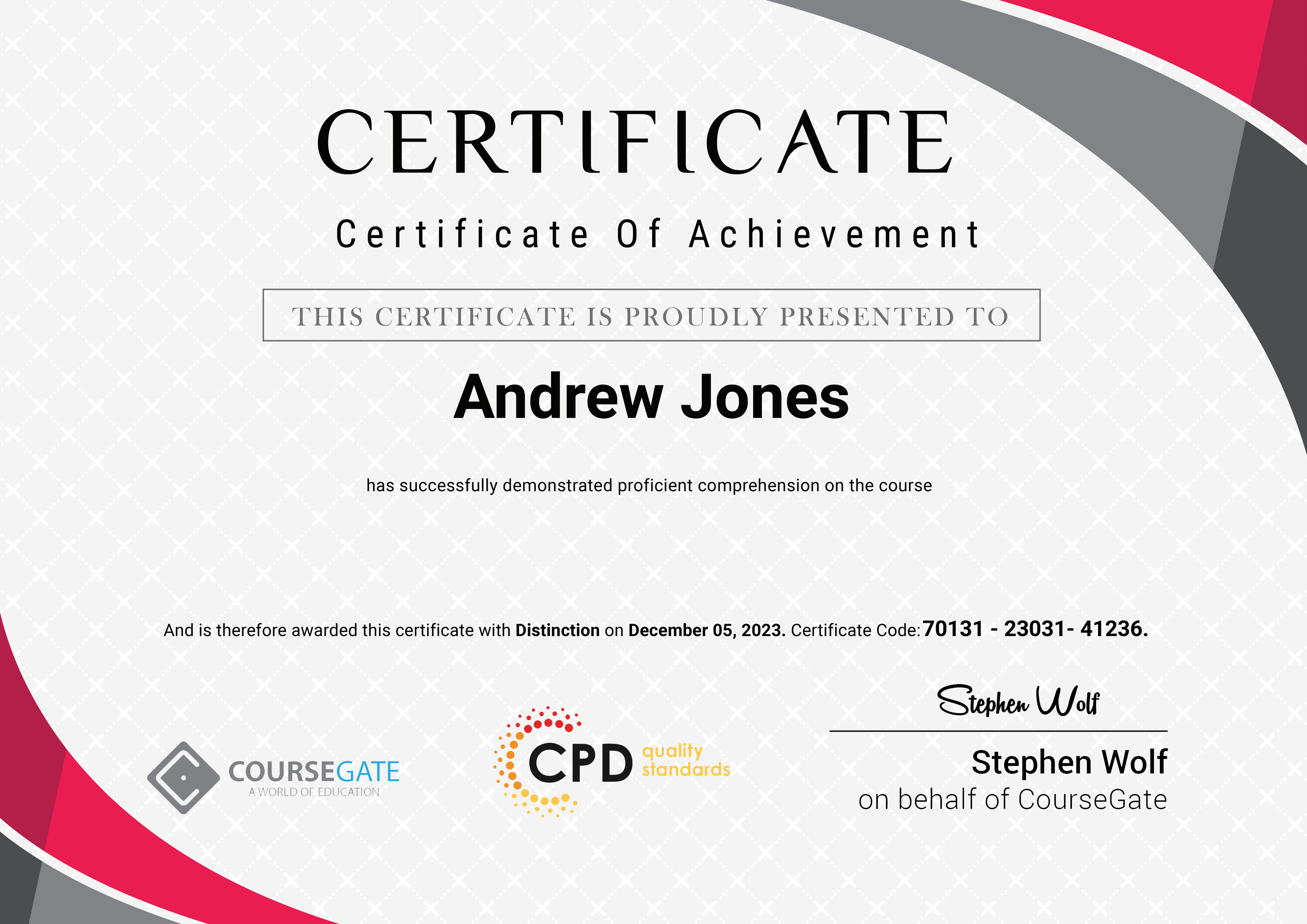
Upon successful completion of the Microsoft Excel with Claude AI course, you will receive a CPD certificate that demonstrates your commitment to continuing professional development.
Your certificate can be added to your CV, LinkedIn profile or professional portfolio to showcase your training in AI-assisted spreadsheet management, Excel formulas, data analysis and business reporting.
It also provides a foundation for further professional development in Microsoft Excel, artificial intelligence and business data analysis.
Course Duration
The Microsoft Excel with Claude AI course consists of seven structured modules and 28 lessons, with a combined curriculum duration of approximately two hours.
The course progresses from introductory AI concepts and workbook interaction to formula generation, data analysis, professional reporting and a practical project, helping you develop your knowledge in a logical sequence.
Career Path
Developing AI-powered Excel skills can support professional development across a wide range of industries in the UK. From managing business records to preparing financial reports, the knowledge gained through this course can be applied to various spreadsheet-based responsibilities.
This course can support your skills development in roles such as:
- Business Administrator: Organising business records, managing spreadsheets and preparing routine reports.
- Finance Assistant: Supporting financial calculations, transaction analysis and spreadsheet reporting.
- Data Analyst: Cleaning datasets, identifying patterns and presenting data through charts.
- Business Analyst: Reviewing business information and identifying performance trends.
- Sales Administrator: Analysing sales records and preparing sales performance summaries.
- Operations Assistant: Organising operational data and supporting business reporting.
The course also provides a foundation for further study in advanced Microsoft Excel, business intelligence, artificial intelligence and data analytics.
Whether you want to improve your performance in your current role or develop skills for future career opportunities, our Microsoft Excel with Claude AI course offers practical training to support your professional development.
Course Curriculum
| Module 01: Introduction to AI-Powered Microsoft Excel | |||
| Introduction to the Course | 00:03:00 | ||
| 1.1 Understanding the Role of Artificial Intelligence in Microsoft Excel | 00:03:00 | ||
| 1.2 Why Integrate AI into Everyday Excel Workflows | 00:03:00 | ||
| 1.3 How AI Transforms Spreadsheet Management and Data Analysis | 00:03:00 | ||
| 1.4 Exploring Practical Applications of AI in Excel Based Tasks | 00:02:00 | ||
| Course project workbook | 00:00:00 | ||
| Module 02: Working with Claude AI and Excel | |||
| 2.1 Understanding Claude AI s Capabilities for Microsoft Excel | 00:04:00 | ||
| 2.2 Uploading Excel Workbooks and Interacting with Spreadsheet Data | 00:03:00 | ||
| 2.3 Writing Effective Prompts for Excel Tasks and Calculations | 00:04:00 | ||
| 2.4 Using Claude to Analyse, Generate and Improve Excel Workbooks | 00:03:00 | ||
| Prompt cheat sheet | 00:00:00 | ||
| Module 03: Generating Excel Formulas and Functions with Claude | |||
| 3.1 Generating Essential Mathematical and Statistical Formulas Using Claude | 00:03:00 | ||
| 3.2 Creating Conditional Formulas Using IF, AND, OR and Nested Functions | 00:04:00 | ||
| 3.3 Generating Lookup Formulas Using VLOOKUP and XLOOKUP | 00:03:00 | ||
| 3.4 Explaining, Troubleshooting and Optimising Existing Excel Formulas | 00:04:00 | ||
| Formula practice answer key | 00:00:00 | ||
| Formula practice | 00:00:00 | ||
| Module 04: Cleaning and Organising Excel Data with Claude | |||
| 4.1 Identifying Duplicate, Missing and Inconsistent Spreadsheet Records | 00:03:00 | ||
| 4.2 Using Claude to Clean and Standardise Excel Datasets | 00:03:00 | ||
| 4.3 Correcting Formatting Issues and Transforming Unstructured Data | 00:03:00 | ||
| 4.4 Organising and Improving Spreadsheet Data Using AI | 00:02:00 | ||
| Messy customer list | 00:00:00 | ||
| Module 05: Analysing Excel Data with Claude AI | |||
| 5.1 Analysing Spreadsheet Data and Generating Business Insights | 00:03:00 | ||
| 5.2 Identifying Trends, Patterns and Anomalies Using Claude | 00:03:00 | ||
| 5.3 Performing Sales, Financial and Performance Analysis | 00:05:00 | ||
| 5.4 Generating Summary Tables and Data Driven Recommendations | 00:04:00 | ||
| Module 06: Creating Charts and Reports Using Claude | |||
| 6.1 Selecting Appropriate Charts and Visualisations with Claude | 00:04:00 | ||
| 6.2 Generating and Improving Excel Charts Using AI Assistance | 00:03:00 | ||
| 6.3 Creating Summary Reports and Presenting Spreadsheet Findings | 00:03:00 | ||
| 6.4 Producing Business Insights and Professional Reports with Claude | 00:03:00 | ||
| Module 07: Practical AI-Powered Excel Project | |||
| 7.1 Analysing an Existing Business Workbook Using Claude | 00:04:00 | ||
| 7.2 Generating Formulas and Cleaning Spreadsheet Data with AI | 00:04:00 | ||
| 7.3 Creating Data Summaries, Charts and Performance Reports | 00:04:00 | ||
| 7.4 Validating and Presenting the Completed Excel Project | 00:05:00 | ||
| Q3 Sales project | 00:00:00 | ||
| Change log template | 00:00:00 | ||
| Final project brief and rubric | 00:00:00 | ||
| Final project instructor key’ | 00:00:00 | ||
| Formula practice answer key’ | 00:00:00 | ||
| Prompt cheat sheet’ | 00:00:00 | ||
| Verification checklist | 00:00:00 | ||
Course Reviews
No Reviews found for this course.
2 hrs